
Metadata Configurator#
A free, up-to-date FAIR Data Station instance is available at https://fairds.fairbydesign.nl. Alternatively, set up your own instance.
The Metadata Configurator allows you to create custom metadata templates by selecting metadata fields and sheets relevant to your research. The generated templates can later be validated with the Metadata Validator, which converts the metadata into a Linked Data (RDF) file to be used in automatic processing of data sets, publishing, and exploratory queries over a multitude of studies.
The Metadata Configurator’s interface looks like the following image:
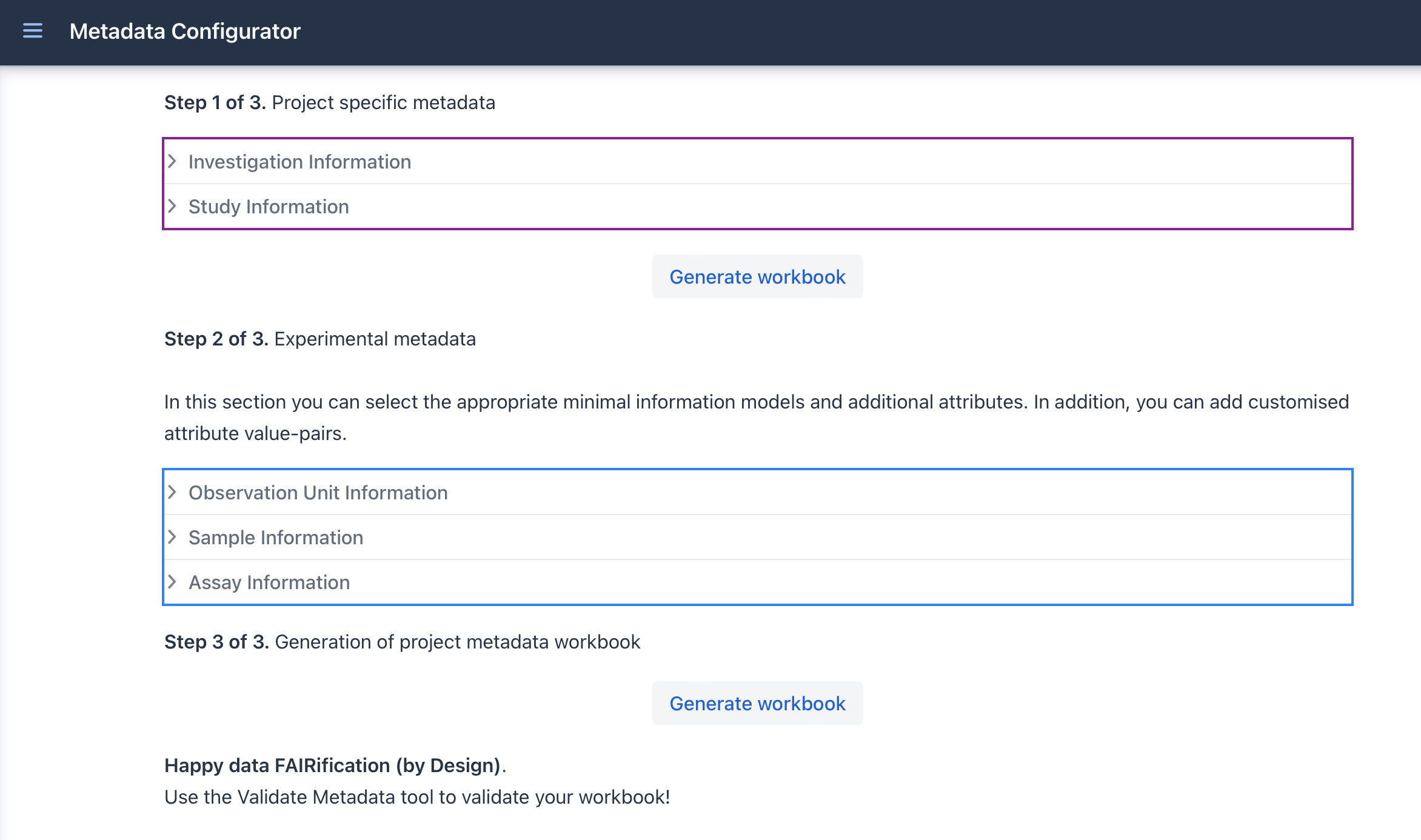
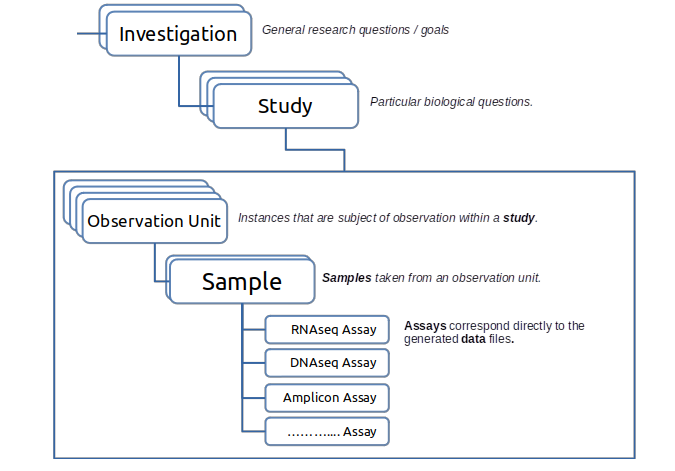
The Metadata Configuration Web Form is divided in several sections (Investigation, Study, Observation Unit, Sample, and Assay). The relationships between these sections are shown in the figure below. Each section is described below, including the type of information expected.
Investigation#
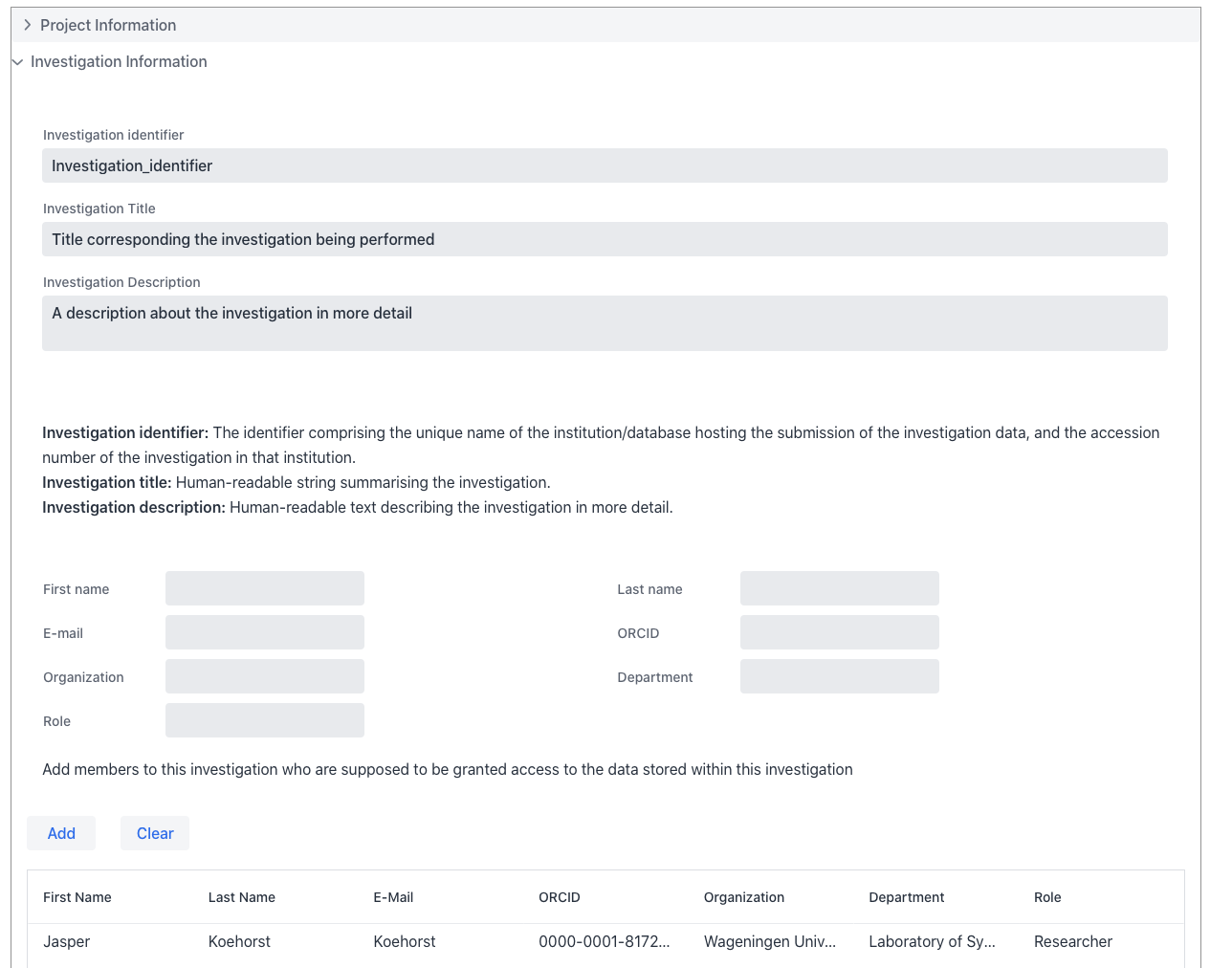
An Investigation represents the overal research question within a project. The Web form is designed to capture a single investigation. The Investigation is the root of the metadata structure and represents the highest organisational level. Refer to the image below for an example.
Study#
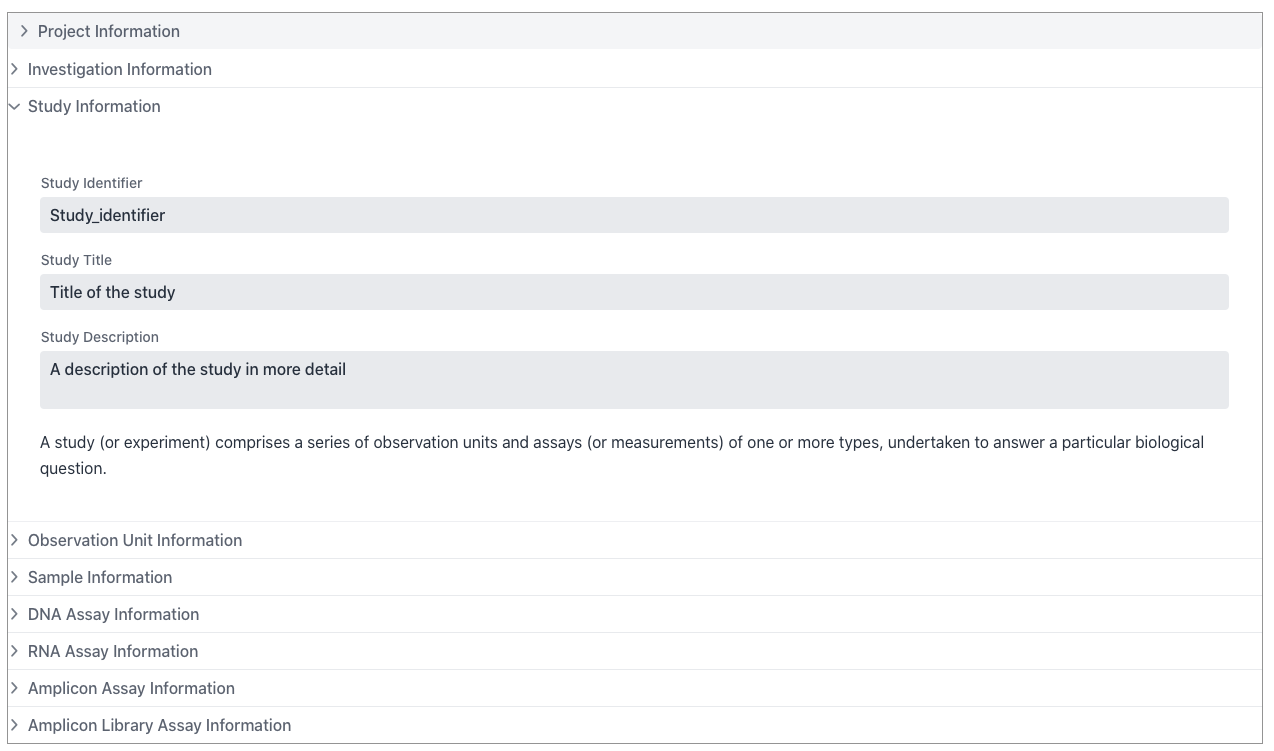
A Study comprises a set of observation units (see below) and associated assays or measurements that address a specific research question within an investigation. Every Study is associated with an Investigation. Refer to the image below for an example.
Observation Unit#
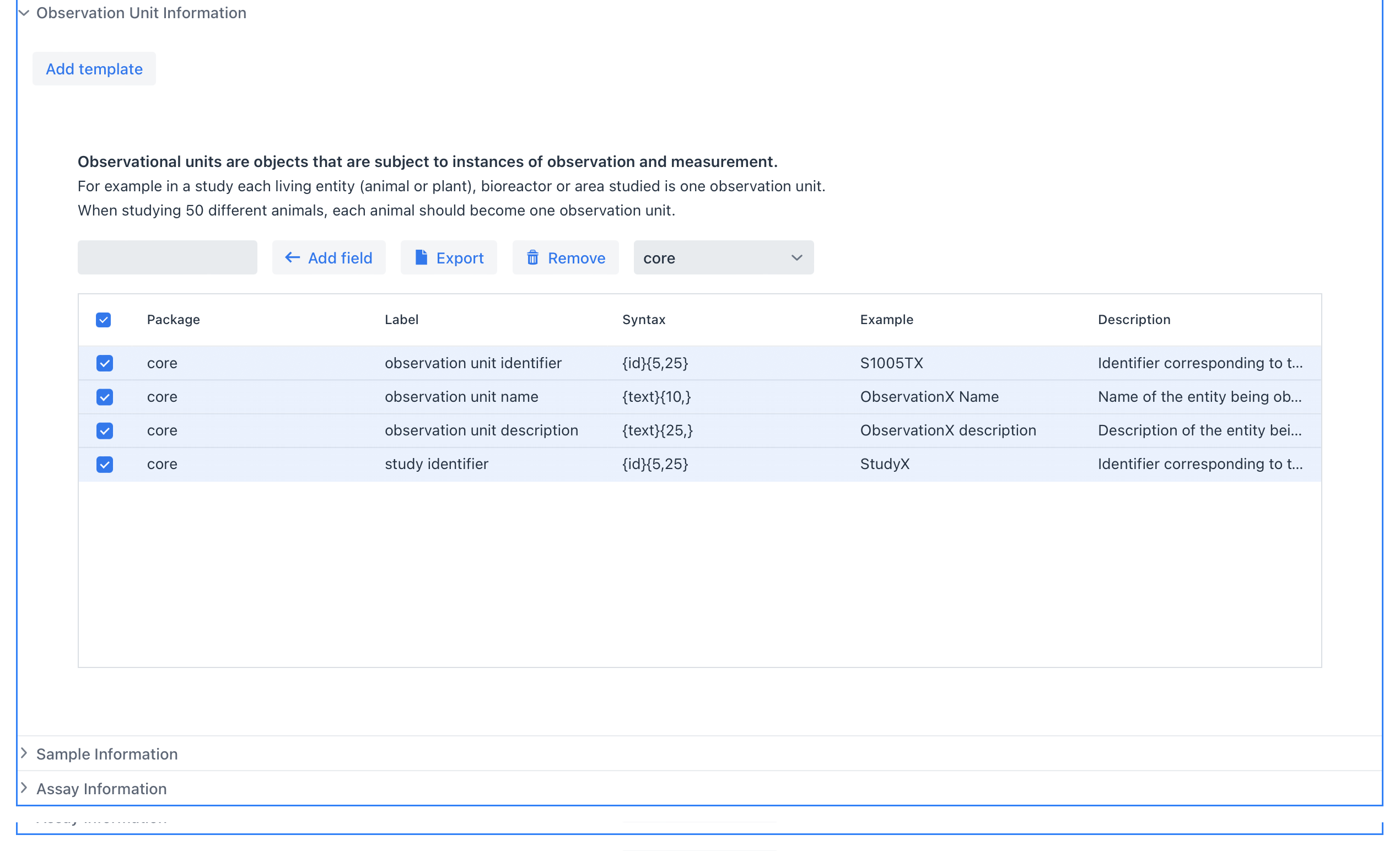
Observation units are entities that are subject observation or measurement. An observation unit can be a fermenter, a plant, a group of animals under condition A, etc. Every Observation Unit is associated with a Study. In the oficial ISA ontology an Observation Unit is equivalent to source-material. Refer to the image below for an example.
For example, in a biological study each patient, plant, animal, bioreactor or area represents a single observation unit. If a study includes 50 different animals, each animal should be recorded as a separate observation unit. Additional packages will be released that support different observation unit types such as bioreactors, patients, animals, fields or oceans.
Sample#
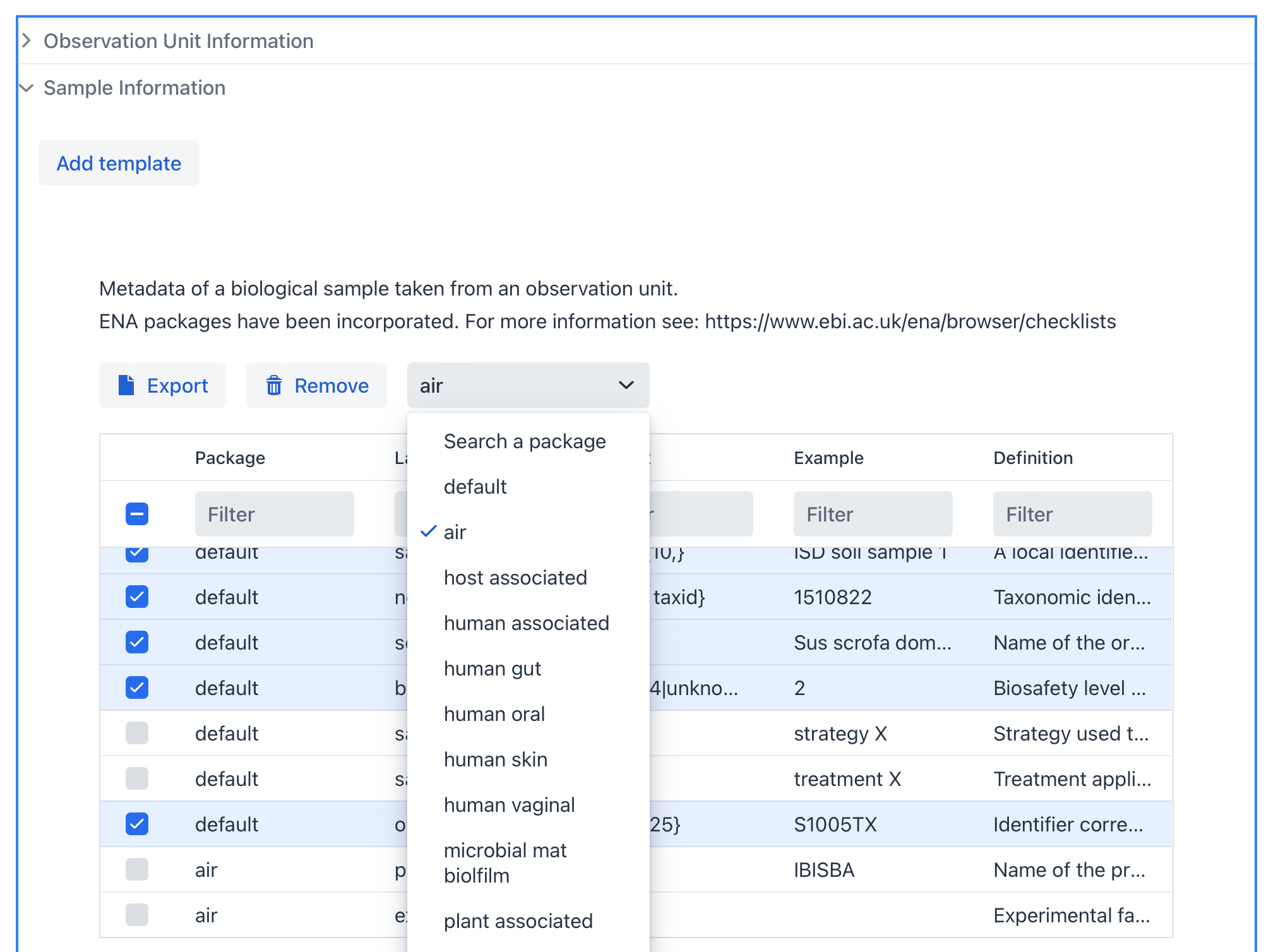
A Sample is material collected from an Observation Unit that can be processed further to generate data. In the oficial ISA ontology a sample is equivalent to sample-material. Multiple samples can be taken from the same observation unit, for example during time-series experiments or when sampling different regions of the same area. You can add multiple sample types by clicking on the Add template button. Refer to the image below for an example.
A variety of sample packages based on the MIxS standard (https://w3id.org/mixs) are available. Each package defines required fields and varying additional fields depending on the sample type.
Assays#
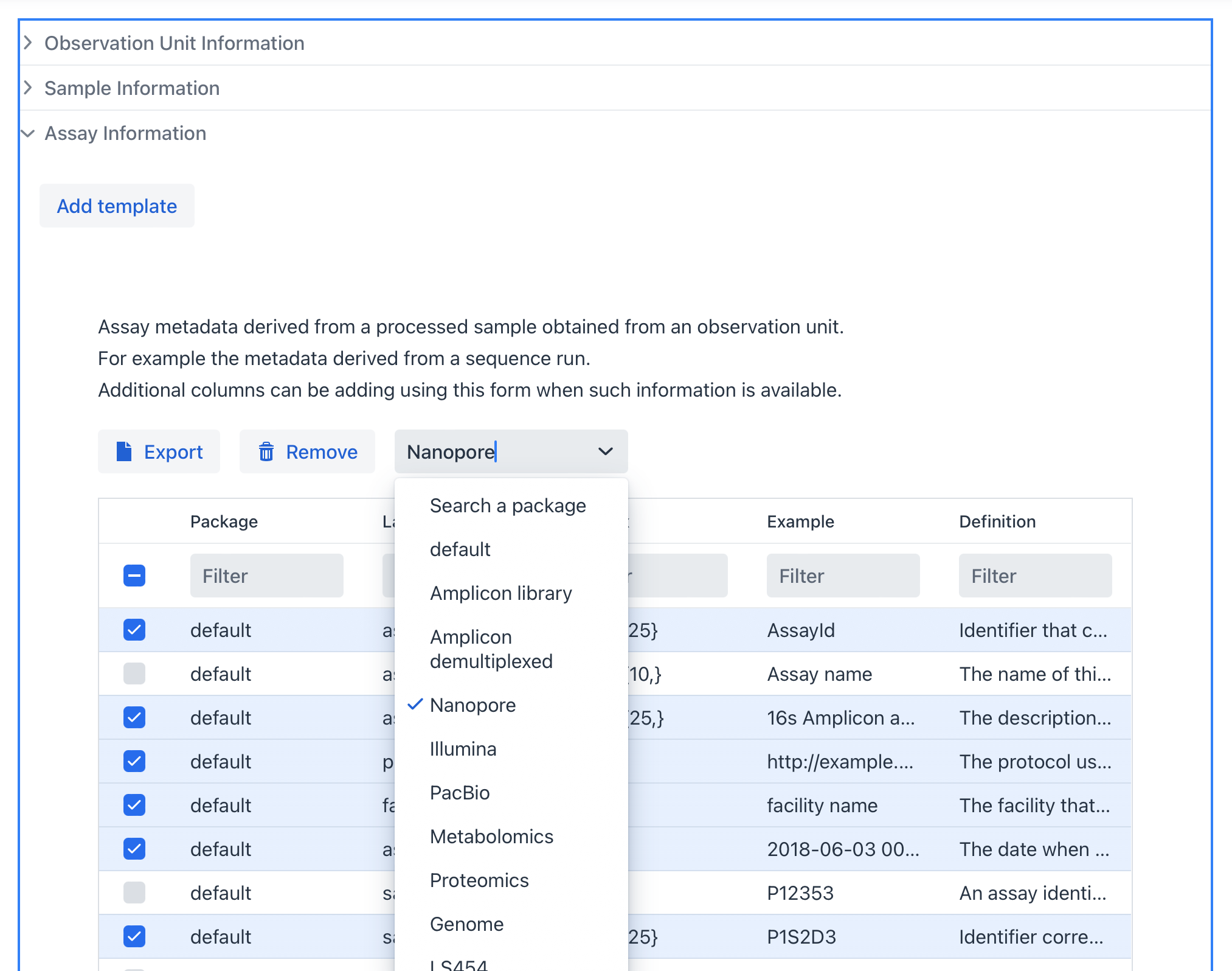
An Assay represents the measurement or analysis performed on a sample (for example a sequencing run). If multiple assay types are used (for example DNA and RNA), multiple assay sheets can be enabled. We also encourage the addition of other metadata columns whenever such information is available. Refer to the image below for an example.
Generate#
When you have finished filling in the investigation and study information, selected the right observation units, samples and assays you can click on the Generate workbook button to create the metadata template.

If you later realize that a required metadata package is missing, it can be downloaded seperately using the
Exportbutton associated with that metadata set.